IcebergEBS

Extension risk monitoring
Paranoid about browser extensions.
IcebergEBS watches the Chrome, Edge, and VS Code extensions your organisation runs — downloading the actual packages, inspecting the code inside them, scoring the risk across six signals, and alerting you when something changes.
Why IcebergEBS
An extension is third-party code with access to every page your staff visit, updated silently, by a publisher who can change at any time. Store listings tell you almost nothing about that.
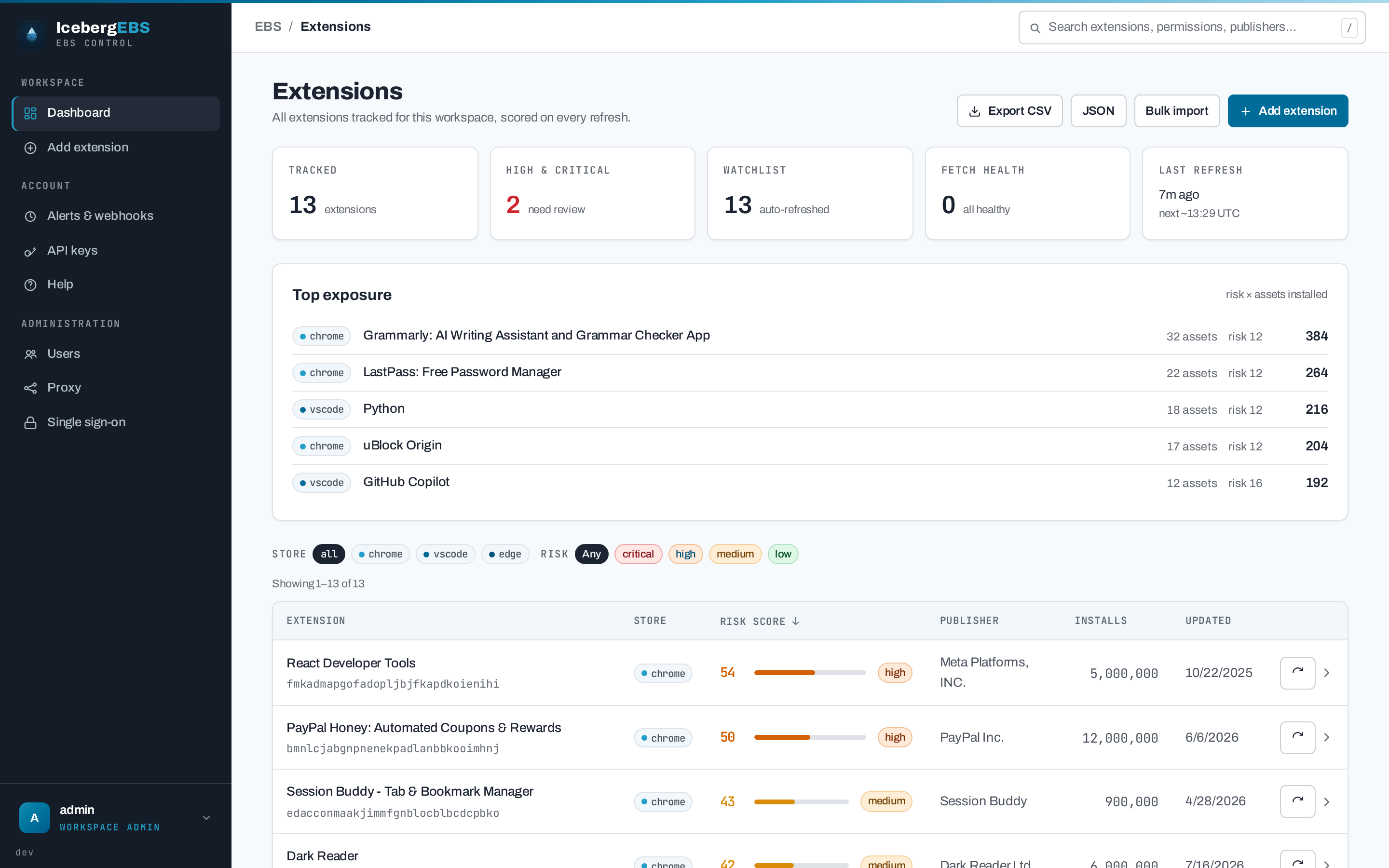
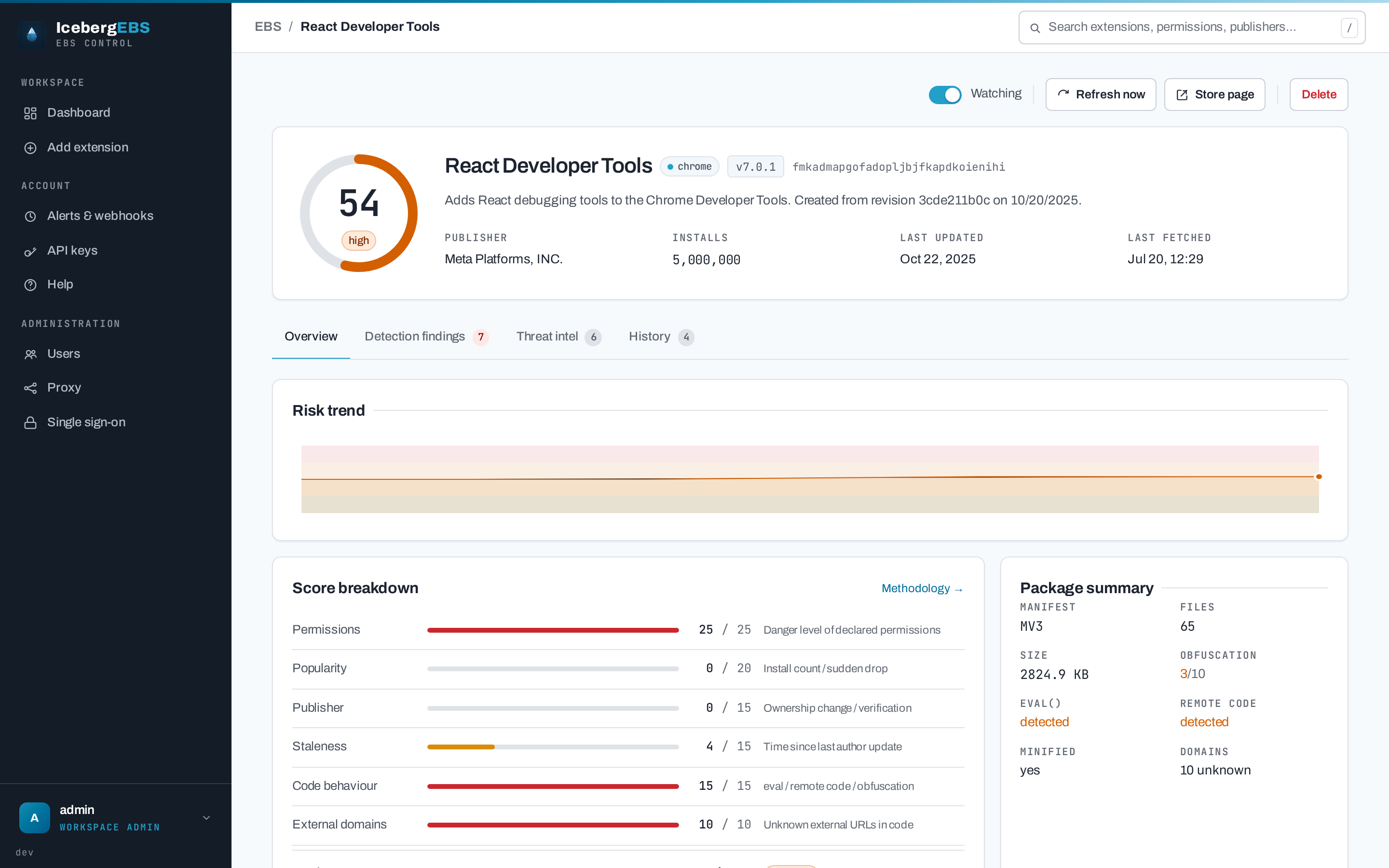
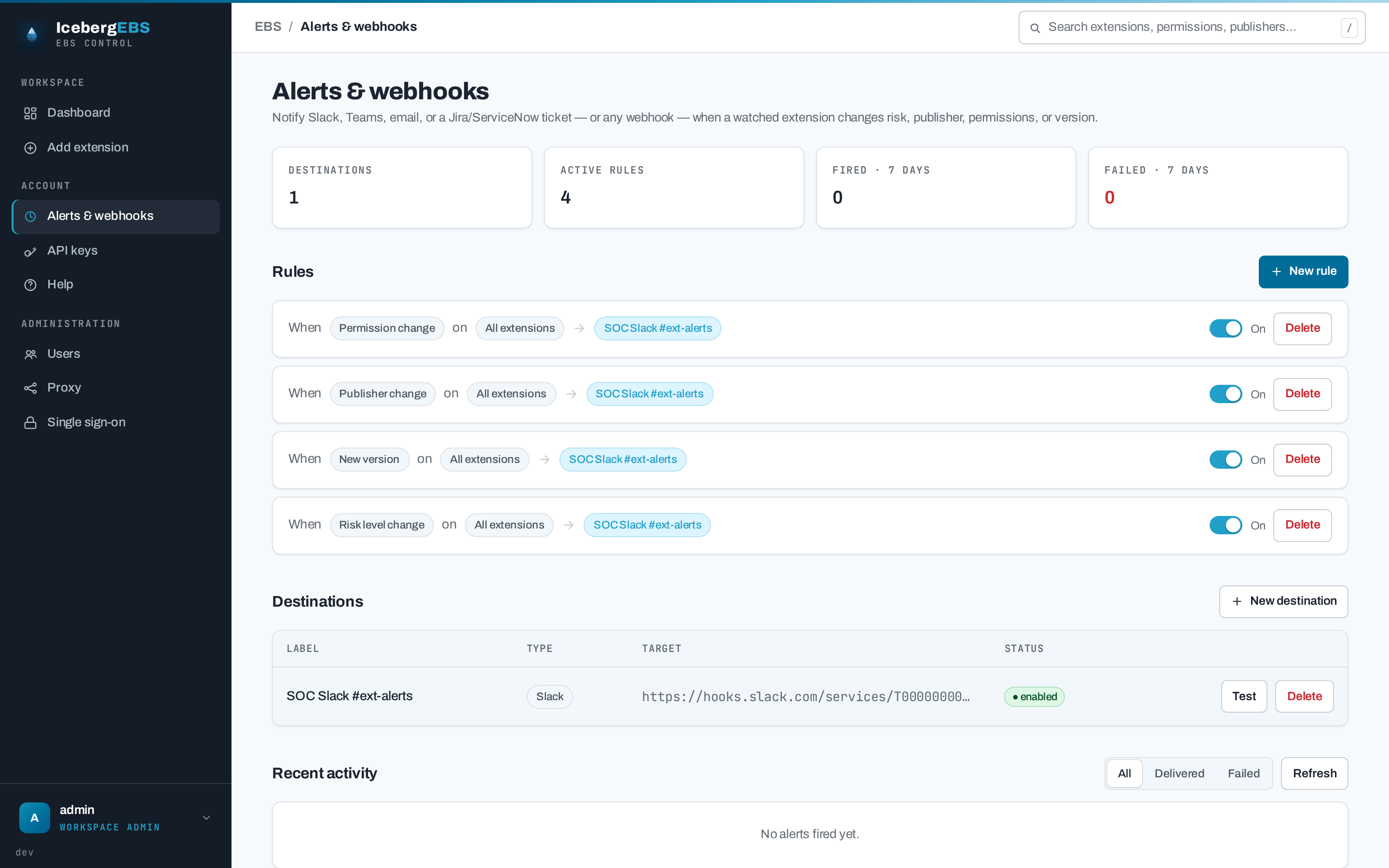
IcebergEBS tracks the extensions you care about, downloads and inspects each package, and produces a 0–100 risk score from permissions, install base, publisher identity, staleness, code behaviour, and the external domains the code reaches. A background scheduler re-checks watchlisted extensions and fires a webhook when the risk band, publisher, permissions, or version changes. It is multi-user — each user keeps an independent watchlist — and API-first, so it drops into a SOAR pipeline as easily as a browser tab.
-
Real package inspection
Downloads the CRX or VSIX and reads the code —
eval, remote script loading, obfuscation, minification, and every external domain. No code is ever executed. -
Six-signal risk score
Permissions, popularity, publisher, staleness, code behaviour, and external domains — each capped, summed to 0–100, with a full per-signal breakdown.
-
Three stores
Chrome Web Store, Edge Add-ons, and the VS Code Marketplace, each with its own fetcher and its own honest account of which signals it can supply.
-
Change alerting
Webhooks on risk-band changes, publisher changes, permission changes, and new versions — persisted before delivery, so a crash re-fires rather than loses them.
-
API-first
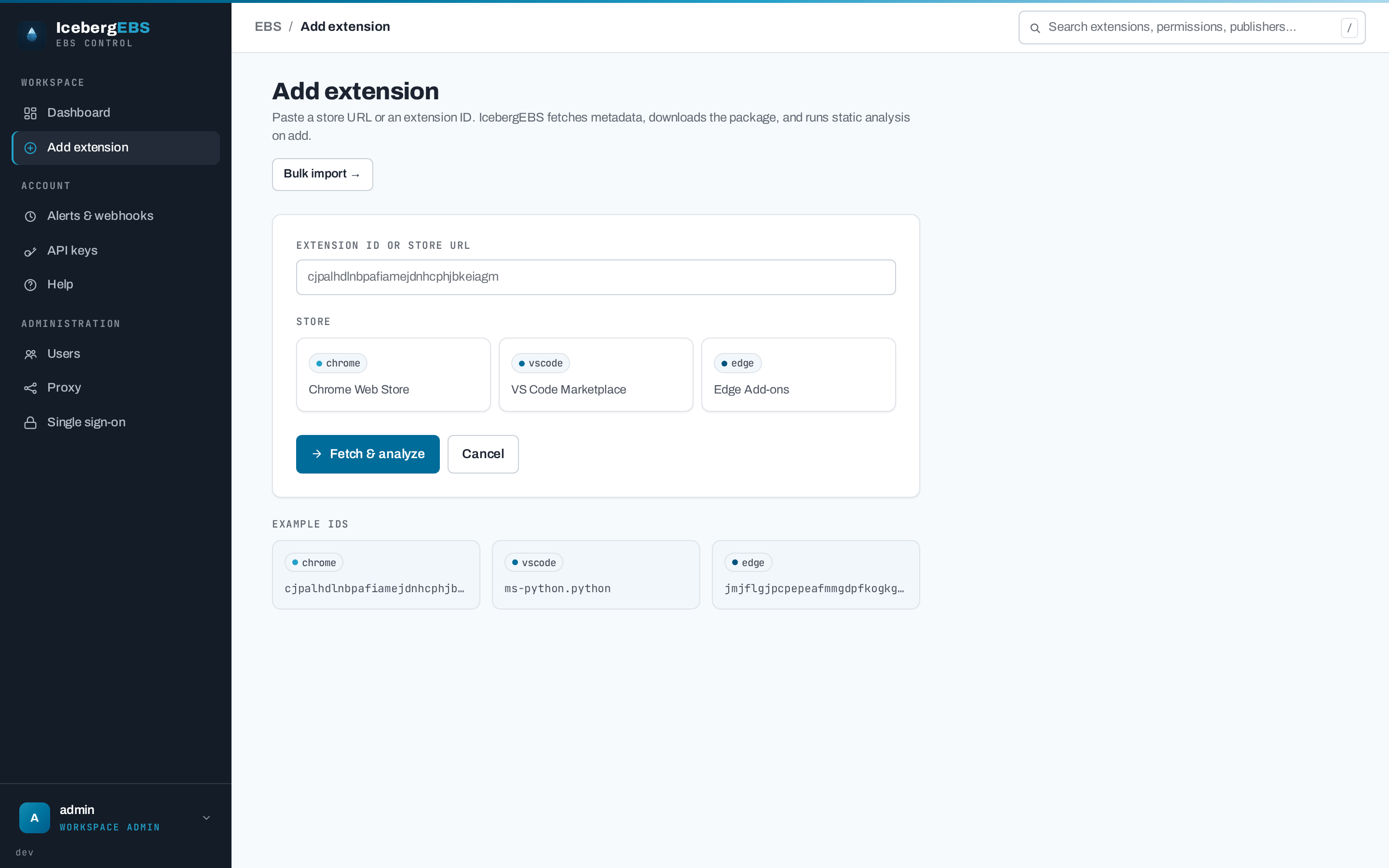
Every screen is built on the same REST API. Bulk import an inventory, export to CSV or JSON, and drive it with scoped, revocable API keys.
-
Hardened by default
Strict
script-src 'self'CSP with no inline scripts, SSRF-guarded webhooks with IP pinning, bcrypt with constant-time login, OIDC SSO, and signed release images.
See it
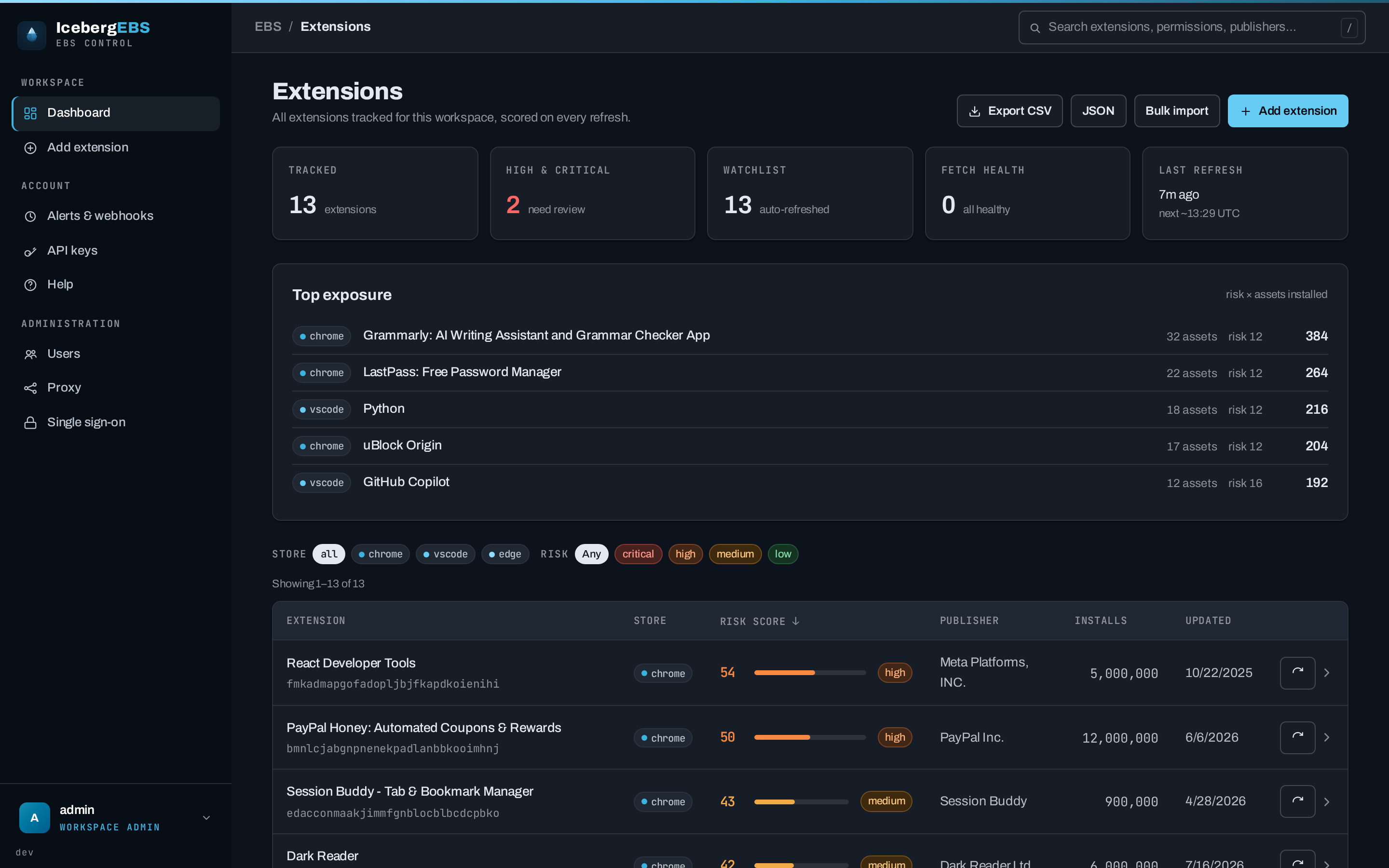
The dashboard — everything you track, ranked by risk, with org-wide exposure at a glance.
How a check runs
| Step | What happens | |
|---|---|---|
| 1 | Fetch | Store metadata — name, publisher, version, install count, last-updated |
| 2 | Download | The actual package: a CRX (Chrome, Edge) or VSIX (VS Code) |
| 3 | Inspect | A passive read of the archive — manifest, permissions, code patterns, external domains |
| 4 | Score | Six signals summed to 0–100, stored with a full per-signal breakdown |
| 5 | Compare | Against the previous fetch: risk band, publisher, permissions, version |
| 6 | Alert | A webhook per matching rule — persisted before delivery, so a crash re-fires |
Every fetch — scheduled or manual — writes a history record carrying the score before and after, so the trend charts and the change alerts are built from the same data. Nothing is executed, and nothing is sent to a third party.
Next steps
-
Risk scoring — the six signals, the bands, and what inspection can and cannot see.
-
Deployment — Docker Compose or Helm, behind Caddy, on PostgreSQL.
-
Alerts & API — webhook payloads, delivery guarantees, and the REST surface.
-
Security — the hardening posture, the known limits, and how to report a vulnerability.